Your budget isn't a separate file. It's a target line on your real cash.

You set a target next to what's actually in your account and in your forecast. The gap between the two tells you exactly what's left to do to hit it.

WHAT IT LOOKS LIKE

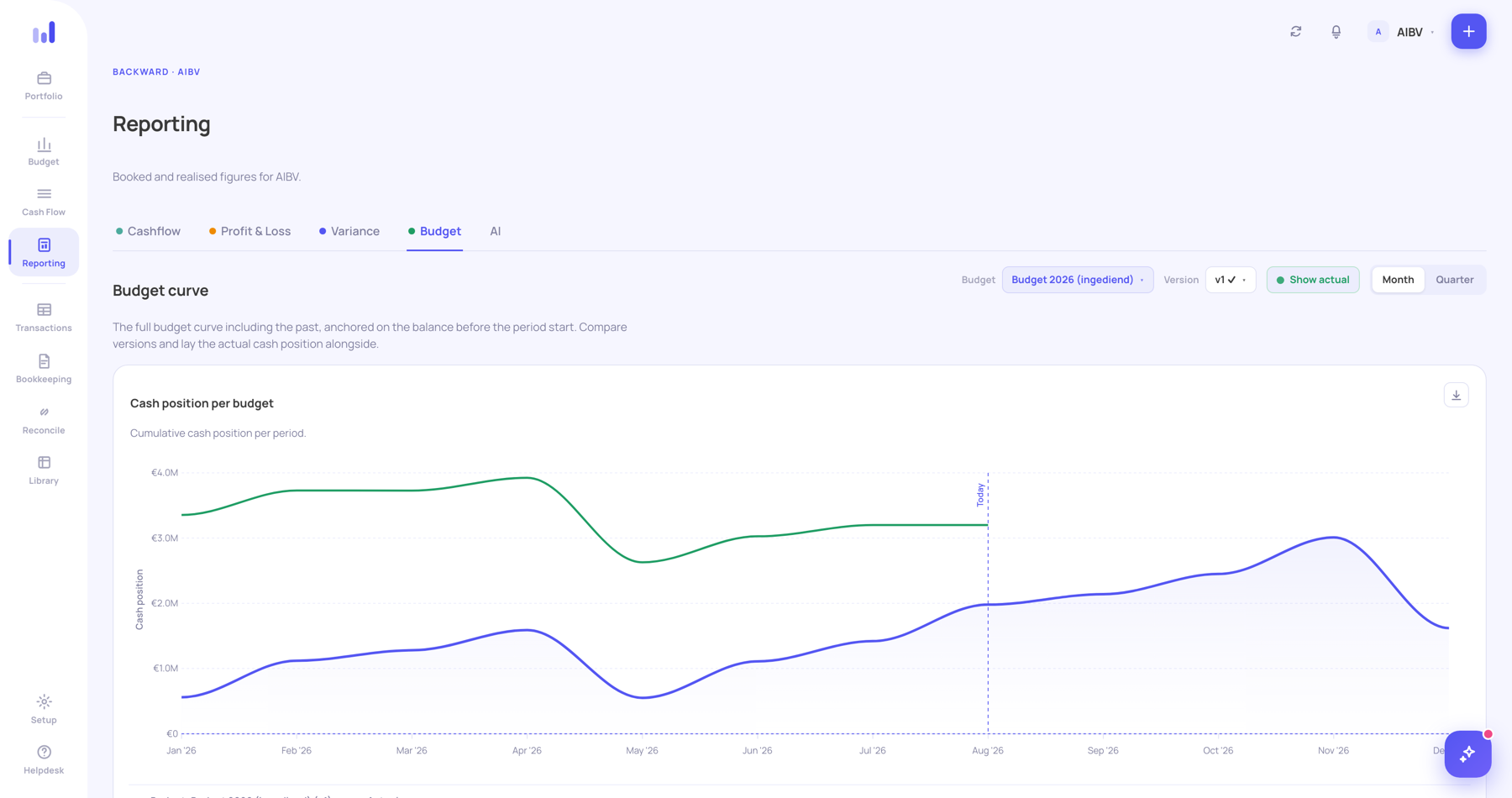
Two lines, and the space between them is your agenda.

One line is your target: the budget you've set, anchored on today's bank balance. The other line is your reality: bank, outstanding, committed and expected, added up. As long as those two lines stay close, you're on track.

Target · budget Reality Hinge point · today
BankOutstandingCommittedExpected
Budget · target line vs. reality
Budget chart with the target line in blue and actual cash position in green, with a line marking today.
BUDGET PER LAYER

What you budget, and down to what level.

Every plan with budget starts at the category. From Holding onwards you split further, and work with several versions side by side.

Control

  • Budget per category
  • Variance against reality, per period
  • Optimistic and pessimistic variants
Holding

Holding

  • Budget per cost centre, department or project (Holding)
  • Budget versions and rounds, with history (Holding)
  • Everything in Control, plus that extra split

Two budget rounds a year that need to run side by side, or a budget that runs per department: that's exactly why a growing company ends up on Holding, even with just one company.

IN PRACTICE

How it works, from variance to input.

Budgeting doesn't stop once you've set a target. Here's how the rest works in practice.

Variance against your target

  • Variance per period, not just per year
  • Optimistic and pessimistic variants next to your main budget
  • Visible at category level, not just on the total

Your Excel budget stays your budget

No restructuring beforehand. Your existing setup is carried over, and you recognize your own budget straight away.

You describe a change in plain language

"Raise staff cost in the third quarter by 8%." You describe the change the way you'd tell your controller, and the model adjusts. No number changes without you accepting it.

IN THE PRODUCT

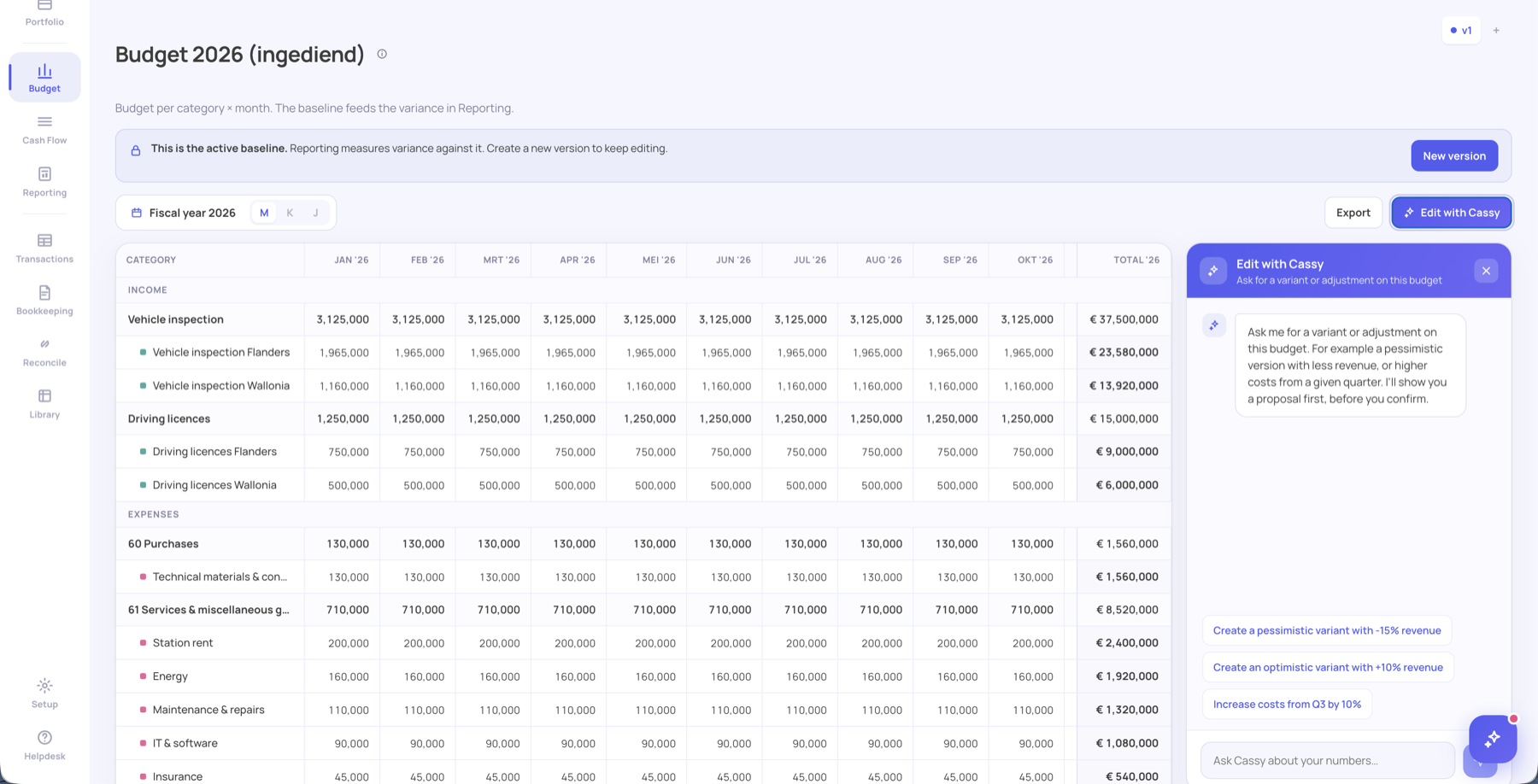
The gap shows up as a number, not a feeling.

Budget · monthly view
2026 monthly budget table with version banner and the edit-with-Cassy panel.
THE MECHANICS

Where the numbers come from, and who can see them.

For whoever needs to be able to trust that it's correct.

Bank

Your bank transactions come in via Ponto, connected to 1,500+ banks.

Accounting

Exact Online, Yuki, Odoo, Winbooks, Billit, Teamleader: your accounting stays the source, Cashplannr reads it.

Traceable

Every number in your forecast opens up to the transaction or the line it came from.

AI proposes, you decide

No number changes without someone accepting it.

EU hosting

The AI runs on AWS Bedrock in Europe, with data minimization. No training on customer data.

Put your budget next to your real cash.

We go through your current budget model and show how it sits next to your real cashflow.

Book a call